You are under a sink.
The phone rings.
The job still gets booked.
Revenue Whistle is the AI receptionist for the trades. It answers, texts back the calls you miss, books the job on your calendar, sends the invoice and asks for the review. You stay in control of every word.
- Keep your number
- Live the same day
- Nothing sends without your OK

Delgado Plumbing
Business line
- Missed call from (512) 448-01927:42 AM
- Hi, this is Delgado Plumbing. Sorry we missed your call. What's going on?
- Hi, the water heater is leaking into the garage.
- Got it. First, shut the cold-water valve on top of the tank. I can have someone there today at 10:00 or 1:30. Which works?
- 10 works
- Booked for 10:00. You will get a text when they are on the way.
Booked for 10:00
Water heater replacement$1,180
See it for your trade
Answers in seconds
A call or a text-back, before the caller dials the next company.
Your number stays yours
Forward it or port it. Nothing to install.
Live the same day
Teach it your services, prices and hours in about ten minutes.
Approval mode
Nothing goes out in your name until you say so.
One day, one thread, from first ring to paid invoice
Every call, text and email with a customer lives in a single conversation. Here is what one of them looks like across a day.
7:42 AM
The call you would have missed
You are on a job. It rings, goes unanswered, and the caller gets a text from you within seconds.
7:43 AM
Two real times offered
It asks what broke, gives the first safe step, and offers slots from your calendar with travel time subtracted.
8:06 AM
Booked on your calendar
The job lands with the address, the problem and the quote. You get a notification, not a task.
4:15 PM
Invoiced from the driveway
Send the invoice from your phone and take the card before you leave.
6:30 PM
The review, asked for you
A short text at the moment the customer is happiest, with the link to your Google profile.
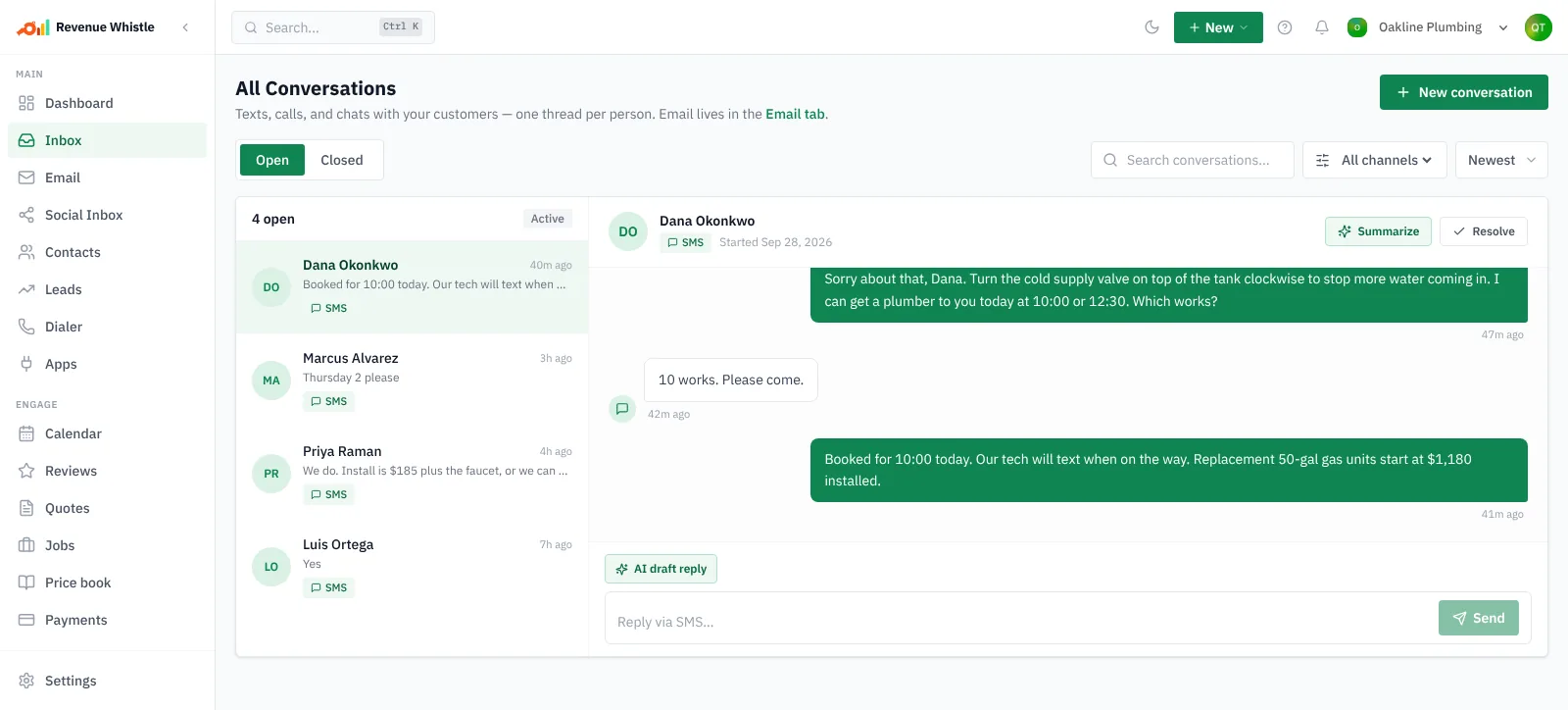
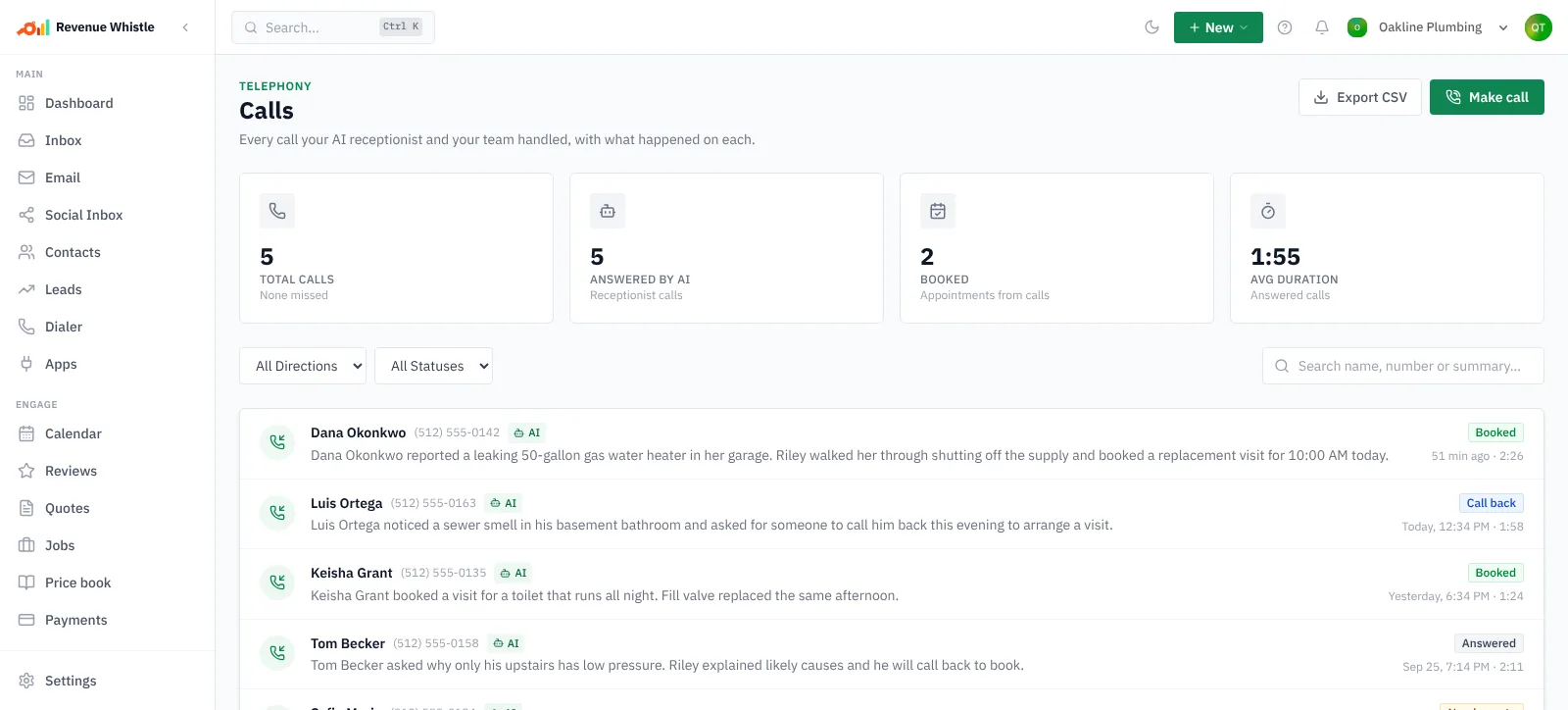
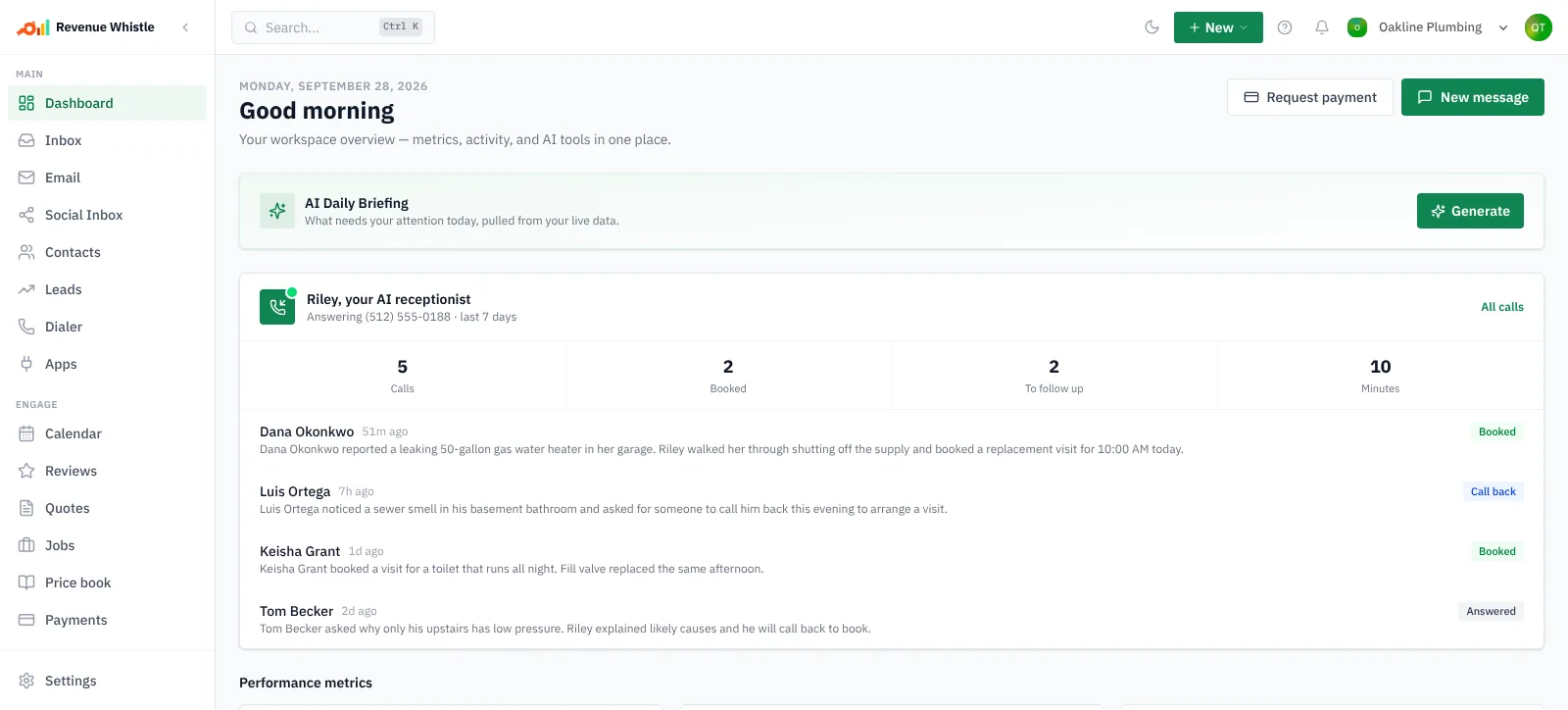
Real screens from the product, shown with a sample plumbing business.
A receptionist that knows your business, not a chatbot
It knows your services, your prices and your hours. It transfers the call when a human should take it. It keeps one thread per customer so nothing gets lost between the call, the text and the invoice.

Answers the phone
A voice receptionist picks up as your business, finds out what broke and how urgent it is.
Texts back in seconds
Every missed call gets a reply before the caller has dialled the next company.
Books the job
Offers real slots from your calendar with travel time already subtracted.
One thread per customer
Calls, texts and email in a single conversation instead of four apps.
Invoices and takes payment
Send the invoice from the driveway and get paid by card before you leave.
Asks for the review
Automatically, at the moment the customer is happiest.
Nothing goes out in your name until you say so
Run it in approval mode and every reply waits for your yes. You see what it wants to send, where the price came from, and you approve it from your phone. Turn approval off for the things you trust, keep it on for quotes and refunds.
- Every draft shows the price-book line it used
- Hands the conversation to you the moment it is unsure
- A full log of what it did, in plain words
Waiting for your OK
7:43 AM
Reply to (512) 448-0192, who said “the water heater is leaking into the garage”
Got it. First, shut the cold-water valve on top of the tank. I can have someone there today at 10:00 or 1:30. Which works?
Quoted from your price book: Water heater replacement, $1,180
Built for the trades where a ringing phone is revenue
Pick yours. The conversation at the top of the page and the example below change to the calls you actually get, with prices from a price book like yours.
A Tuesday for a plumbing business
3 calls, 3 jobs
7:42 AM
You were on a job
“Hi, the water heater is leaking into the garage.”
Texted back in 9 seconds, booked 10:00
Water heater replacement
$1,180
11:06 AM
Missed, no voicemail
“Hi, kitchen sink will not drain.”
Texted back, booked Thursday
Drain clearing
$310
8:14 PM
After hours
“Hi, toilet has been running all night.”
Quoted, booked for Monday
Fill valve replacement
$165
Worked example. Prices are the ones you set in your price book.
Live the same day, with us on the phone if you want
Four steps. Most owners do it between jobs. If you would rather we set it up with you, say so on the contact page.
- 1
Connect your number
Keep the line your customers already know. Forward it or port it.
- 2
Teach it your business
Services, prices, hours and service area. About ten minutes, editable any time.
- 3
Switch on approval mode
Every reply waits for your yes. Watch it work on real calls first.
- 4
Let it run
Turn approval off for what you trust. Keep it on for quotes and refunds.

About Revenue Whistle
One place for every enquiry, from first ring to paid invoice.
Most software for the trades assumes someone is sitting at a desk to use it. Nobody is. Revenue Whistle is built for the hour when the phone rings and both your hands are busy — it answers, replies, books and invoices on its own, and shows you exactly what it did.
You stay in control of the parts that matter. Run it in approval mode and every message waits for your yes before it sends. Turn that off when you trust it.
Connecting an outside account — Google, Microsoft, your phone provider — is always optional, and anything you connect is used only to show you your own business information inside your own workspace. We never sell it or use it for advertising. The privacy policy lists every permission and exactly what it is for.
Before you switch it on
- No. Keep your existing business line, port it in or forward it in minutes. You can add new local numbers whenever you need them.
Stop losing the jobs you never hear about.
Keep your number. Switch it on in approval mode and watch it work before it sends a single message on its own.